
Have you ever lost track of a customer’s contact details, forgotten to follow up on a promising lead, or struggled to keep your team on the same page? If any of that sounds familiar, you are definitely not alone. Most small business owners hit a wall when it comes to managing customer relationships, especially as things start to grow.
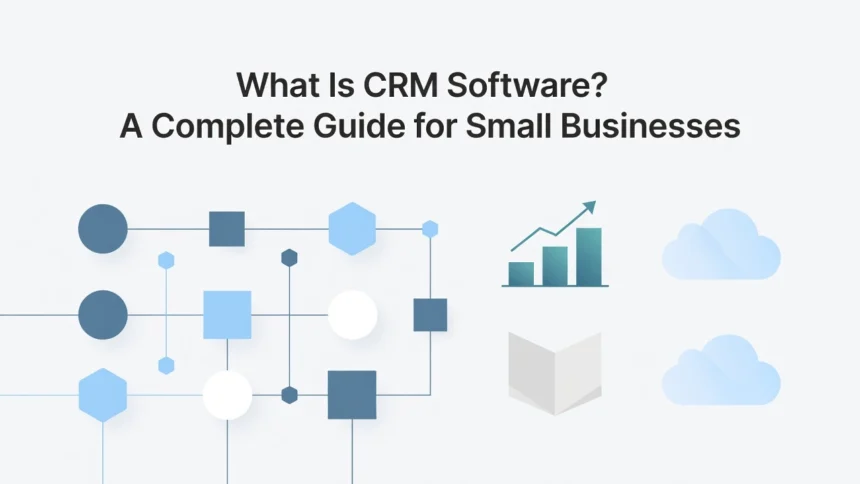
That is where software CRM customer relationship management tools come in. CRM software is basically your business’s command center for everything related to your customers. It helps you store contact information, track conversations, manage sales pipelines, and so much more, all in one place.
The good news? You do not need to be a tech expert to get started. This guide is designed specifically for beginners who want to understand what CRM software actually is, how it works, and whether it is the right fit for their small business. By the time you finish reading, you will have a clear picture of what CRM tools can do for you and how to choose the best one for your needs. Let’s dive in!
What Is CRM Software? A Plain-English Definition
CRM stands for Customer Relationship Management, and at its core, it is software designed to help businesses track, manage, and strengthen every interaction they have with customers and prospects. Think of it as the central nervous system of a business’s relationships. Rather than letting important conversations slip through the cracks, CRM software captures every touchpoint and keeps it organized in one place, making it easier for teams to stay on top of what matters most.
Here is a relatable way to picture it. Imagine a business’s long-term memory for every customer conversation it has ever had. Just like you would want a trusted friend to remember your preferences, your past problems, and what you talked about last time, CRM software gives businesses that same ability at scale, across an entire team.
The problem CRM solves is surprisingly common. In most small businesses and growing companies, customer information is scattered everywhere. One person has notes in their email inbox, another jots things down on sticky notes, and someone else maintains a spreadsheet that is already three months out of date. According to IBM’s overview of CRM technology, the average organization uses close to 900 different applications, but only 29% of them are actually integrated. That fragmentation leads to missed follow-ups, inconsistent service, and frustrated customers.
CRM software fixes this by creating a single timeline for every customer relationship. Anyone on the team can instantly see what was said, what was promised, and what needs to happen next, regardless of which colleague handled the last conversation.
Early CRM tools were little more than glorified digital address books, storing contact names and phone numbers. But as Salesforce explains in their CRM guide, modern platforms in 2026 go far beyond that. Today’s CRM systems unify sales, marketing, customer service, and management data into one connected hub, giving every employee a complete, 360-degree view of each customer relationship the moment they need it.
How CRM Software Actually Works: Core Features Explained
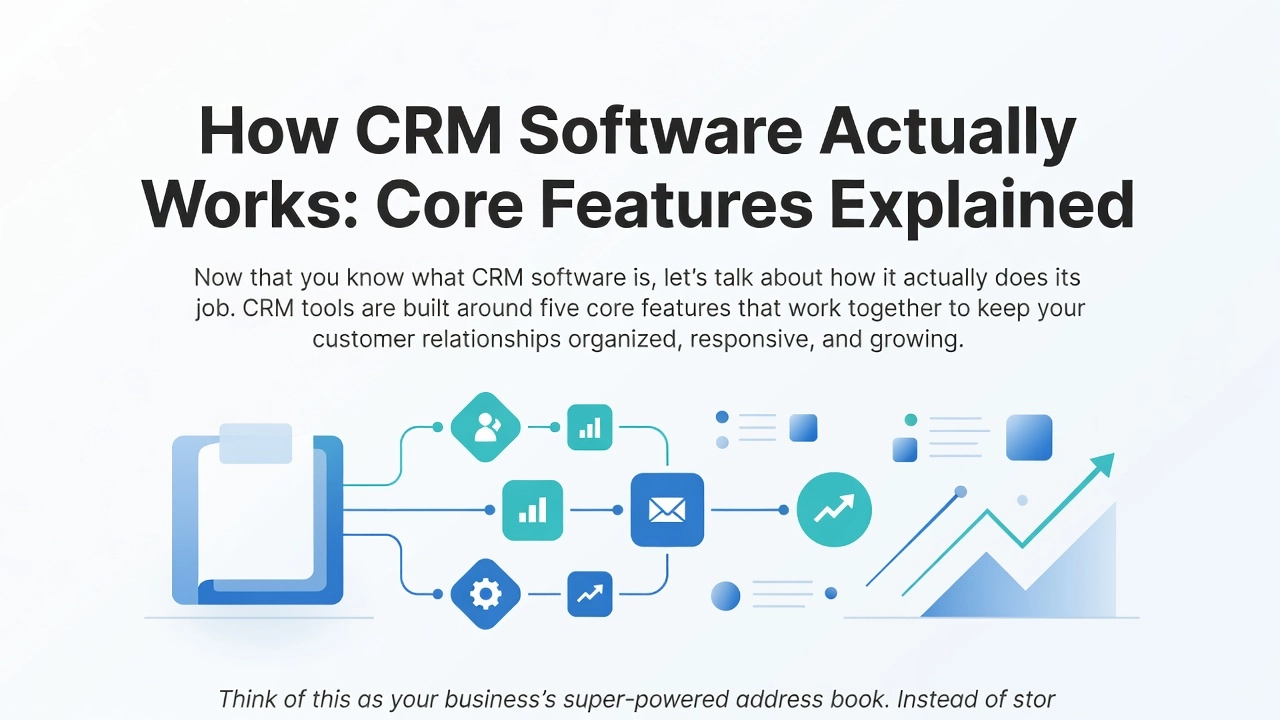
Now that you know what CRM software is, let’s talk about how it actually does its job. CRM tools are built around five core features that work together to keep your customer relationships organized, responsive, and growing.
Contact Management
Think of this as your business’s super-powered address book. Instead of storing just a name and phone number, a CRM builds a rich profile for every customer and lead. That profile includes communication history, company details, deal value, purchase history, and even personal preferences. So when someone from your team picks up the phone, they already know the full story before saying hello. No awkward catch-up, no repeated questions, just a smooth and informed conversation.
Pipeline Tracking
Your sales pipeline is the journey a lead takes from “just browsing” to “ready to buy.” CRM software maps that journey visually so you can see exactly where every opportunity stands at a glance. Imagine a digital board showing ten deals in progress, with each one sitting in its current stage, whether that is first contact, proposal sent, or negotiation. Nothing gets forgotten, and no deal quietly slips away because someone forgot to follow up.
Communication Logging
This is one of the most practical features for teams. Every email, call, and meeting gets recorded automatically, so the full conversation history is visible to everyone without anyone having to type up notes manually. According to Salesforce, this unified data means any employee can become an instant expert on any customer, knowing exactly what was discussed and when.
Automation
CRM automation handles the repetitive stuff for you. For example, if a prospect opens your proposal email, the system can automatically send a follow-up message, set a task reminder for your sales rep, and update the deal status, all without a single human click.
AI-Driven Insights
Modern CRM platforms in 2026 go a step further with machine learning. As explained in Microsoft Dynamics 365’s CRM overview, AI tools analyze your customer data to surface smart recommendations. These include scoring leads by their likelihood to convert, flagging accounts that seem at risk of churning, and suggesting the best next action for a salesperson to take. It is like having a data analyst working behind the scenes, around the clock.
Together, these five features turn a CRM from a simple database into a genuine business engine.
Why Businesses Are Doubling Down on CRM in 2026
If you have been noticing more businesses talking about CRM software lately, there is a very good reason for that. The global CRM software market has been on a steady upward climb, and industry analysts project it will reach $304 billion by 2035, according to Precedence Research. That kind of long-term growth signal does not happen by accident. It reflects the fact that companies of all sizes, from small startups to large enterprises, are making deliberate decisions to invest in CRM as a foundational part of how they operate.
What has changed most significantly is why businesses are investing. For a long time, CRM was seen as a sales team tool, basically a fancy digital rolodex for tracking leads and deals. That perception has shifted dramatically. Today, CIOs and senior business leaders evaluate CRM the same way they evaluate other core infrastructure, right alongside AI platforms, automation systems, and multi-channel communication tools. According to CRM trend analysis from AlphaBold, modern CRM sits at the center of a much broader technology ecosystem, not off to the side as a departmental nicety.
One of the biggest conversations happening in CRM right now involves something called agentic AI. This goes well beyond the AI features most people picture, like a chatbot suggesting a follow-up email. Agentic AI means the system actually takes action on its own within your customer workflows. It might automatically update a customer record, trigger a personalized follow-up sequence, or escalate a support ticket without waiting for a human to click a button. CIO.com called this shift to decisive, autonomous action the defining CRM trend of 2026, and major platform vendors are already shipping these capabilities as core product features.
Alongside AI, omnichannel management has gone from a premium upgrade to a basic expectation. Customers reach out through email, live chat, social media, phone, and SMS, often switching between channels mid-conversation. Businesses now expect their CRM to handle all of those touchpoints from a single platform, giving every team member a complete view of each customer interaction. You can explore the latest CRM statistics for 2026 to see just how rapidly these expectations have shifted across industries.
The honest takeaway for any business still running disconnected or manual workflows is this: the gap between AI-connected CRM users and everyone else is widening. Response times, personalization quality, and customer retention rates are all measurably affected by how well your CRM is wired into your broader tech stack. Getting started now is no longer a competitive advantage. It is quickly becoming the baseline.
You Have Already Experienced CRM Without Knowing It
Think about the last time a brand made you feel genuinely seen. Maybe it was a birthday discount that landed in your inbox at exactly the right moment, or a customer service rep who already knew your issue before you said a word. Those moments did not happen by accident, and they were not the result of some employee with a perfect memory. They were powered by CRM software working quietly in the background.
That birthday email is a perfect place to start. When a retailer sends you a discount on your actual birthday, a CRM system pulled your birth date from a stored contact profile, matched it to the current date, and automatically triggered a personalized email campaign. No human scheduled it manually. A workflow rule inside the software did all the work, and you felt like the brand cared enough to remember you.
The “they already knew” customer service experience works the same way. When an agent says “I can see your last order was delayed, let me fix that right away,” they are reading from a CRM timeline that logs every purchase, complaint, and conversation attached to your account. You never had to repeat yourself because the software remembered everything for them. According to research highlighted by arrivia’s analysis of CRM and loyalty programs, when consumers feel genuinely connected to a brand, 57% increase their spending and 76% choose that brand over a competitor. That connection is built on CRM data.
Loyalty programs that recommend products based on your past purchases are also running on CRM infrastructure linked to e-commerce platforms. The system knows what you have bought, what you browsed but skipped, and what similar customers eventually purchased. Even that fast callback after submitting a complaint form is usually a CRM workflow automatically assigning the case, alerting the right agent, and starting a response timer.
Once you see the CRM layer underneath these everyday experiences, the technology stops feeling like abstract business software and starts feeling like the reason your favorite brands actually feel like your favorite brands.
The Real Reason CRM Projects Fail (And How to Avoid It)
Here is something that might surprise you: according to research tracking CRM implementations over two decades, between 50 and 70 percent of CRM projects fail to meet expectations. The global CRM market is worth over $100 billion and the software keeps getting better every year, yet the failure rate has barely budged. As one analysis puts it plainly, if the software keeps improving but the failure rate does not drop, the problem is not the software. So what is actually going wrong?
The Data Fragmentation Problem
The most common culprit is something called data fragmentation, and it plays out the same way in businesses of every size. A sales rep sends 20 emails from Gmail, books two meetings through their calendar, and follows up via a few text messages. None of that activity automatically appears in the CRM. The pipeline report that management reviews on Friday is built entirely on data that nobody remembered to log manually, which means it is essentially fiction. When your CRM data is incomplete or out of date, every report it generates becomes unreliable. You cannot prove ROI to stakeholders, and you cannot make confident decisions about which deals are actually progressing. According to CRM statistics compiled for 2026, 55 percent of CRM implementations still fail to meet objectives, with data entry friction cited as a primary cause.
Why Teams Stop Using CRM
The other half of the failure equation is adoption. Salespeople are busy, and when a CRM feels like extra paperwork rather than a helpful tool, they quietly stop using it. Forrester Research attributes 70 percent of CRM failures to low user adoption, and research into the reasons behind continually failing CRM adoption confirms that fewer than 40 percent of CRM customers ever achieve over 90 percent end-user adoption across their teams. The fix is not putting everyone through another training session. Training patches a broken workflow rather than fixing it. The real fix is choosing a CRM that connects directly with the email, calendar, and website tools your team already uses every day, so activity gets captured automatically without anyone having to remember.
Avoid Buying More CRM Than You Need
Small businesses often make the mistake of purchasing an enterprise-grade platform loaded with features they will never touch. If your team only needs contact management, follow-up reminders, and a simple pipeline view, a complex platform with dozens of modules will overwhelm rather than help. Start with the minimum that solves your actual problem, and scale up from there as your needs grow.
CRM for Small Businesses and Solopreneurs: Where to Start
If you are running a small business or working solo, the good news is that you do not need a complex, enterprise-grade CRM to get started. The tools built for large corporations come loaded with features that most small teams will never touch, and that complexity tends to work against you. What you actually need at the start is something that keeps your contacts organized, sends you reminders to follow up, and gives you a simple view of where each deal stands. Friction is the enemy here. If a tool takes weeks to learn, your team will quietly abandon it and go back to spreadsheets.
HubSpot CRM: The Most Generous Free Starting Point
HubSpot’s free CRM is consistently ranked as the most recommended starting point for small businesses in 2026, and it is easy to see why. The free tier includes unlimited contact storage, deal tracking, email logging, and a live chat widget, all at no cost. You are not getting a stripped-down demo version; you are getting a genuinely useful tool that covers the core workflow a small business needs from day one. As your business grows, HubSpot’s platform expands with it, connecting marketing, sales, and customer service under the same roof.
Zoho CRM and Nutshell: Strong Alternatives Worth Knowing
Zoho CRM’s free plan supports up to three users and includes lead management, contact records, and basic workflow automation. For freelancers, small partnerships, or micro-businesses just beginning to formalize their sales process, that is a meaningful set of capabilities without spending a dollar. Nutshell CRM is taking a different approach and winning fans among small teams in 2026 for its genuinely clean interface and built-in email sequencing. Nutshell positions itself directly against the complexity overhead of larger enterprise platforms, and small business owners have noticed. One user described it simply as “finally a CRM that a sales team loves and is simple to use.”
The most important question you can ask before choosing any CRM is not which one has the most features. It is which one your team will actually open every single day without groaning. A powerful CRM that nobody uses is far less valuable than a simple one that becomes a daily habit. Start small, pick a tool that feels intuitive within the first hour, and build from there.
How CRM Software Integrates With Your WordPress Website
Your WordPress website is likely the very first place a potential customer interacts with your business. They fill out a contact form, browse your products, or sign up for your newsletter, and in that moment, they hand you valuable information. Without a CRM connected to your site, that information gets scattered across email inboxes, plugin dashboards, and spreadsheets. As one popular resource puts it, running a WordPress site without a CRM is like “chasing loose papers in the wind.” A proper integration means every form submission, product inquiry, and signup flows automatically into one organized customer database, with zero manual copy-paste required.
How the Connection Actually Works
The good news is that connecting WordPress to a CRM is more straightforward than most beginners expect. The most popular approach is installing a native plugin directly from the WordPress plugin directory. Tools like HubSpot’s official WordPress plugin are widely recommended as the easiest starting point for beginners, offering a free CRM tier with lead management, email marketing, and sales pipelines built in. Zoho CRM for WordPress is another solid native option. If your chosen CRM does not have a dedicated WordPress plugin, middleware tools like Zapier or Make.com can bridge the gap by creating automated “if this, then that” connections between your site and your CRM. For deeper, more native sync behavior, tools like WP Fusion are specifically built to keep WordPress user data and CRM records in constant alignment. You can explore a helpful breakdown of the best CRM plugins for WordPress to compare options side by side before committing to one.
What Happens When a Lead Comes In
Here is where integration really pays off in daily operations. When a visitor submits your contact form, a CRM-connected setup can automatically create a new contact record, assign that lead to a specific pipeline stage, and trigger a follow-up task for your sales team, all within minutes of submission. No one has to manually check a form inbox and update a spreadsheet. For WooCommerce store owners, the benefits go even further. CRM integration can segment customers by what they have purchased, automate post-purchase thank-you emails, and flag repeat buyers for personalized outreach, turning transactional data into relationship-building opportunities.
Build It Right From the Start
If you are currently building or redesigning your WordPress site, treat CRM integration as a foundational decision rather than something to add later. Configuring form field mappings, pipeline stages, and automation triggers during the initial build is significantly simpler than trying to retrofit them into an existing site with established workflows. Professional WordPress development support can make this setup seamless, ensuring your forms, plugins, and CRM all communicate correctly from day one rather than creating technical debt down the road.
Free vs. Paid CRM: What Is the Real Difference?
Free CRM plans are genuinely useful starting points, not just stripped-down demos designed to frustrate you into paying. Most free tiers give you the core building blocks: a place to store contacts, a basic pipeline view so you can see where each deal stands, email logging, and simple task reminders. For a solo operator or a team of two or three people just getting organized, that is honestly enough to make a real difference. You stop relying on sticky notes and spreadsheets, and you start having a single place where every customer interaction lives.
That said, free plans do come with real limitations that show up quickly as your business grows. The most common friction points are caps on the number of users, restricted automation rules, limited reporting dashboards, and reduced integration options with tools like your accounting software or email marketing platform. AI-powered features, like smart lead scoring or suggested follow-up timing, are almost exclusively reserved for paid tiers. These are not dealbreakers at the start, but they become genuinely frustrating once your pipeline grows beyond a handful of deals.
Paid plans change the equation significantly. Workflow automation handles repetitive tasks like assigning new leads to the right rep or triggering a follow-up email sequence after a demo call. Custom reporting dashboards give leadership a reliable view of revenue forecasts instead of rough guesses. Deeper integrations mean your CRM talks to your e-commerce platform, your marketing tools, and your support desk without manual data entry bridging the gaps.
The trigger to upgrade is usually one of three things: your team grows past the user limit, follow-up tasks start falling through the cracks because there is no automation catching them, or someone in leadership asks for a pipeline report and you realize you cannot produce one you actually trust.
The smartest approach for budget-conscious small businesses is straightforward. Start on a free plan, use it consistently for 60 to 90 days, and only upgrade when a specific missing feature is visibly costing you time or deals. That way, your investment in a paid plan is driven by a real business need, not just a feeling that more features might help.
What to Look for in a CRM Platform in 2026
Choosing a CRM in 2026 is not the same decision it was five years ago. The market has matured, customer expectations have shifted, and the software itself has changed dramatically. Here are the five things that matter most when you are evaluating your options.
AI and Automation That Actually Does Something
A modern CRM should do more than sit there holding your contact data. Look for tools that automate repetitive tasks like follow-up reminders, deal stage updates, and lead assignments without requiring someone to manually trigger them. More importantly, look for lead scoring that reacts to real behavior: did someone open three emails in a row, visit your pricing page, and then go quiet? Your CRM should flag that automatically and suggest a next action rather than waiting for you to notice. In 2026, AI in CRM has moved from a bonus feature to a baseline expectation, and platforms built around these capabilities from the ground up will serve you better than older tools with AI layered on top.
Integration With the Tools You Already Use
The best CRM is the one that fits into your existing workflow rather than replacing it. Before committing to any platform, map out the tools your team uses daily, such as your email client, calendar, website, accounting software, and marketing platform, and confirm that clean, two-way connections exist. A CRM that pulls data in but does not push updates back creates the same fragmentation problem you were trying to solve in the first place.
Omnichannel Coverage and Ease of Use
Your customers do not interact with you through a single channel, so your CRM should not track them that way either. Look for platforms that unify email, social media, live chat, phone, and SMS into one view. Research shows that customers with consistent cross-channel experiences are more than four times more likely to stay loyal to a brand.
Ease of use is just as critical. Studies suggest CRM abandonment rates can reach 50 to 70 percent when teams find the software too complex. Prioritize clean interfaces, mobile access, and minimal manual data entry during your evaluation.
Scalability and Honest Pricing
Finally, read the pricing page carefully. Some platforms advertise low entry prices but lock essential features like automation, reporting, or integrations behind expensive upper tiers. Choose a CRM with a transparent upgrade path so growth does not come with a surprise invoice attached.
CRM Is for Every Business, Not Just Enterprise
Here is the bottom line after everything we have covered: CRM software has traveled a long way from its origins as a glorified digital rolodex. Today it is the operational backbone of businesses of every size, powering personalized marketing campaigns, AI-driven sales decisions, customer service workflows, and revenue forecasting all in one place. That transformation is not just an enterprise story anymore.
If you are a small business owner, the most practical move you can make right now is to start with a free CRM tier, connect it to your WordPress website from day one using the available plugins, and resist the urge to over-invest early. Upgrade only when a specific gap is costing you real time or real revenue, such as losing deals to missed follow-ups or needing pipeline reports for a hiring or funding conversation.
If you are a general reader, those memorable customer experiences you cherish are almost always CRM-powered behind the scenes. Businesses that remember your preferences and reach out proactively are investing in relationships, not just transactions.
The most important CRM decision for 2026 is not which platform you pick. It is whether you connect your CRM deeply to the tools your team already uses every day. Disconnected CRM is consistently the leading cause of wasted investment, regardless of which platform a business chooses. Treating CRM integration as part of your website build, rather than a later add-on, protects the return on both investments from the very start.
Conclusion
Managing customer relationships does not have to feel overwhelming. Throughout this guide, you have learned what CRM software is, how it centralizes your customer data, and how it streamlines your sales process. You have also discovered that the right CRM tool can save you time, reduce costly mistakes, and help your small business grow with confidence.
Here are the key takeaways to remember:
- CRM software keeps all your customer information organized in one place
- It helps you track leads, follow-ups, and sales pipelines effortlessly
- Even beginners can get started quickly with the right tool
- The long-term payoff far outweighs the initial learning curve
Now it is your turn to take action. Explore a few free CRM options, test one out, and see the difference it makes. Your future customers deserve the best experience you can offer, and the right CRM helps you deliver exactly that.