

Have you noticed that searching on Google feels a little different lately? You are not imagining things. Google AI is quietly reshaping the way millions of people find information online, and the changes are happening faster than most people realize.
Whether you are someone who just uses Google to look up recipes and news, or you rely on it for work and research, these updates affect you. The good news is that you do not need to be a tech expert to understand what is going on. You just need someone to break it down in plain, simple language.
That is exactly what this post is here to do. We have put together 10 things every beginner should know about how Google AI is changing the search experience. From smarter answers that appear right at the top of your results to features that feel almost like chatting with a knowledgeable friend, there is a lot to unpack. By the time you finish reading, you will have a clear picture of what is new, what it means for you, and how to make the most of it.
What Google AI Actually Is
If you have heard the term “Google AI” and wondered what it actually means, you are not alone. The phrase gets thrown around a lot, but here is the thing: Google AI is not one single product you can download or sign up for. It is actually a whole family of tools and features, all powered by one central engine called Gemini.
Think of Gemini as the brain behind the operation. It is Google’s large language model, which means it is a type of AI trained to understand and generate human language, images, and even code. If you used Google’s earlier AI assistant called Bard, Gemini is its replacement. Google retired Bard in early 2024 and upgraded everything to the Gemini model, bringing noticeably smarter and more capable responses along with it.
One of the most visible places you will encounter Google AI today is right inside Google Search. Those AI-generated summary boxes that now appear at the very top of your search results, before any website links show up, are called AI Overviews. They pull together a direct answer to your question without you needing to click anywhere. As of 2026, these appear in roughly 55% of all Google searches and reach 2 billion monthly users worldwide.
This shift is completely intentional on Google’s part. At Google I/O 2026, Google officially framed AI-powered search as a new strategic era, not a side experiment. The line between “Google Search” and “Google AI” is blurring on purpose. You can also explore the broader Google AI ecosystem through tutorials like this one to get a feel for just how many tools are involved.
For everyday users, the practical takeaway is simple: the search engine you have relied on for years is now also a conversational assistant. Instead of pointing you to ten websites and leaving you to figure it out, Google AI tries to answer your question directly, right there on the page.
Why Your Google Searches Look So Different Now
If you have typed a question into Google recently and noticed a chunky paragraph of text appearing before any links, you are seeing Google AI in action. That block at the top is called an AI Overview, and it now shows up in roughly 55% of all Google searches. That means more than half of everything people search for returns an AI-written summary before a single traditional blue link appears. This is not a minor tweak to the results page; it is a fundamental shift in how Google presents information.
One pattern that stands out in the data is how the length and style of your query affects what you see. Searches of eight words or more are seven times more likely to trigger an AI Overview than short, punchy keyword searches. So if you type “how do I remove a stripped screw from wood” instead of just “stripped screw,” you are far more likely to get a full AI-generated answer right at the top.
The reason the page can feel so complete is because Google’s AI pulls from multiple sources at once and blends them into a single, tidy response. According to AI Overview statistics from wearetg.com, this synthesis mechanic is a core part of how the feature works, which explains why many people read the summary and never scroll further.
If you noticed searches feeling different starting in late 2024, you were not imagining it. The rollout picked up serious speed through 2025, and AI Overviews are now live in more than 200 countries across 40-plus languages. At Google I/O 2026, Google made it official, publicly framing this as a new era for search with Gemini-powered answers positioned as the primary experience rather than a side feature. As Seoprofy’s 2026 breakdown confirms, this change is deliberate, global, and very much here to stay.
Just How Big Has Google AI Gotten?
The numbers here are honestly hard to wrap your head around. Google AI Overviews now reach 2 billion monthly users globally, and the feature went from limited rollout to that scale in under two years. To put that in context, that is faster adoption than smartphones, faster than social media, and faster than pretty much any consumer technology most of us can think of. According to Google AI Overviews statistics compiled for 2026, this makes it one of the most remarkable technology rollouts ever recorded.
The Gemini app has followed a similarly jaw-dropping trajectory, reportedly hitting 750 million monthly active users in 2026. That represents a 10,600% increase in roughly two years, which is not a typo. That kind of growth is virtually unheard of for a consumer app at this scale.
On the search side, around 50% of US search queries now generate an AI Overview response, and 58% of surveyed users said they performed at least one AI Overview search in the past month. That shift from “occasionally seeing AI answers” to “this is just how search works now” has happened remarkably quickly.
Perhaps the most telling stat for anyone who creates or reads content online is this: LLM-sourced web traffic surged 527% year over year between early 2024 and mid-2025. AI tools are actively sending people to websites, and that channel is growing fast.
And the broader SEO impact analysis confirms what many everyday users already feel intuitively: 52% of US adults now actively use AI large language models. AI-assisted searching is no longer a niche habit. It is simply how millions of people find information every single day.
What Zero-Click Search Actually Means for You as a Reader
Here is something worth knowing before your next Google search: a big chunk of the time, you are already getting your answer without ever leaving the results page. That is what zero-click search means. You type in a question, Google surfaces the answer right there at the top, and you never tap through to any website. According to a 2026 study covered by Search Engine Land, zero-click searches hit 68% in early 2026, meaning more than two thirds of all Google searches now end without a single click to an external site.
For a lot of everyday queries, this is actually great news. Checking the weather, converting cups to millilitres, looking up what a word means, or figuring out a quick cooking time: all of these are served up instantly. No waiting for a page to load, no scrolling past ads. The answer is just there.
The catch is depth. Google AI Overview statistics for 2026 show that some publishers have seen traffic drops of 20 to 40 percent since AI Overviews launched. That matters to you as a reader because AI summaries condense information, and the richer, more nuanced original articles behind them get visited far less often. Detailed product reviews, investigative pieces, and expert guides are still being written, but fewer people are actually reaching them.
For shoppers especially, this shift is real. Product comparisons and deal roundups are increasingly summarised by AI before you ever visit a review site. If you want the full picture, a simple trick helps: add words like “review,” “guide,” or “in depth” to your search query. AI search trend analysis for 2026 confirms that specific, intent-driven queries are far less likely to be absorbed into a summary, and far more likely to surface direct links to the detailed sources you actually want.
Meet Gemini: The Google AI You Can Actually Have a Conversation With
If AI Overviews are Google’s answer built into Search, then Google Gemini is something a little different. It is a standalone AI assistant you can have an actual back-and-forth conversation with, and getting started is genuinely simple. Head to gemini.google.com, sign in with your existing Google account, and you are ready to go. It is also built into the Google app on both Android and iOS, so it travels with you on your phone without needing a separate download.
The big difference from regular Search is how you interact with it. Instead of typing “best pasta recipe quick,” you can say “I have chicken, pasta, and a lemon in the fridge. What can I make in under 30 minutes?” Then follow up with “Can you give me the steps in simpler language?” or “What could I swap for the lemon?” That kind of back-and-forth dialogue is exactly what Gemini is built for. People use it to draft emails, summarise long articles, brainstorm birthday gift ideas, plan trips, and tackle writing tasks that would take much longer to do alone.
On the speed front, Google introduced faster Flash-family model variants in 2026, designed specifically for low-latency responses. These make everyday interactions feel noticeably snappier, which matters when you are asking quick questions throughout your day rather than sitting down for a deep research session.
The free tier covers everything most everyday users need. If you subscribe to Google’s paid Workspace tiers, Gemini also connects with Gmail, Google Docs, and Google Photos for deeper productivity features. But for casual use, the free version is genuinely capable. With 750 million monthly active users and growing, Gemini has become a real everyday tool for trip planning, recipe ideas, writing help, and quick research.
NotebookLM: The Free Google AI Tool Most People Have Never Heard Of
If you have been using Google AI purely for search, there is one free tool hiding in plain sight that most everyday users have never even clicked on. NotebookLM, available at notebooklm.google.com, works completely differently from a standard search. Instead of browsing the web for you, it reads the documents you provide and becomes an expert on exactly that material. You upload your PDFs, articles, research papers, or notes, and then you chat with an AI that has genuinely worked through all of it.
The practical uses here are surprisingly useful for everyday life. Got a 40-page product manual you cannot face reading? Upload it and ask NotebookLM to pull out the steps you actually need. Staring at a terms-and-conditions document before signing up for a service? Upload it and ask for a plain-English summary of anything that matters. The AI sticks strictly to what you uploaded, which means it is not guessing or pulling in outside information.
In 2026, NotebookLM grew well beyond text summaries. The tool now generates cinematic-style video overviews and visual infographics based on your uploaded content, which makes absorbing dense information feel genuinely less painful. Originally, the audience was mostly researchers and students, but those new formats have made it useful for pretty much anyone regularly dealing with long, complicated documents.
The free tier gives you up to 100 notebooks, 50 sources per notebook, and 50 chats per day, which is more than enough for casual use. If Gemini and AI Overviews represent Google AI at the search level, NotebookLM is where you can use that same technology on your own terms, with your own material.
Canvas Mode: When Google Search Becomes an Interactive Workspace
Think of Canvas Mode as Google Search finally deciding to stop just pointing you in the right direction and actually sitting down to help you get the job done. Rolled out to all U.S. users in March 2026, Canvas is a dedicated workspace that opens as a side panel inside Google’s AI Mode, and it changes the entire idea of what a search result can be.
Instead of searching for “weekly meal planner” and getting sent off to a recipe blog or a third-party app, Canvas generates an editable, interactive planner right there inside Google. You can adjust it, add preferences, swap meals around, and refine it through a simple back-and-forth conversation, all without ever opening a new tab. The same goes for study schedules, trip itineraries, budget trackers, comparison tables, and even basic coding projects or custom calculators.
What makes this genuinely significant is the structural shift it represents. Analysts have described Canvas as moving Google Search “from a discovery engine to a full-fledged productivity workspace,” and that is not an exaggeration. For decades, Google’s job was to find the right door and point you through it. Canvas Mode changes that completely. Google is now walking through the door with you.
For everyday users, the practical takeaway is simple. The task you were searching to complete, whether that is planning meals, building a study guide, or drafting a document, can now happen inside Google itself. The information and the doing finally live in the same place.
Google AI vs. ChatGPT vs. Perplexity: Which Should You Use for Everyday Questions?
So you have explored what Google AI can do on its own, but how does it actually stack up when you compare it to the other big names you keep hearing about? Here is a plain-language breakdown to help you decide which tool fits which situation in your daily life.
Google Gemini is the natural starting point if your life already runs through Google. When Gemini is woven into your Gmail, Docs, and Search, you are not switching between apps or learning new habits. It surfaces real-time information, works alongside the files and emails you already have open, and its free tier genuinely covers most everyday tasks like summarising an email thread, drafting a quick reply, or getting a fast answer inside Search. If you are not ready to adopt a brand-new platform, Gemini is the smoothest on-ramp to AI assistance available right now.
ChatGPT is the better pick when you need to produce something. With 900 million weekly active users and 5 billion monthly visits, it is the most-used AI platform in the world for good reason. It shines at long-form writing, brainstorming ideas, working through a problem step by step, and creative tasks like drafting a blog post or rewriting something in a different tone. The free tier handles most non-specialist needs comfortably.
Perplexity AI fills a specific but very useful gap. Processing 780 million queries per month, it is built like a research engine rather than a conversational assistant. Every answer comes with inline source citations, so you can see exactly where the information came from. That makes it the right call when you want to verify a fact rather than simply trust an AI-generated answer.
The practical takeaway is straightforward. Use Gemini as your everyday Google upgrade, reach for Perplexity when you need sourced facts you can check yourself, and open ChatGPT when you are writing or brainstorming something from scratch. Most people find that rotating between two or three tools, depending on the task, delivers far better results than committing to just one.
How Google AI Is Changing the Way You Shop Online
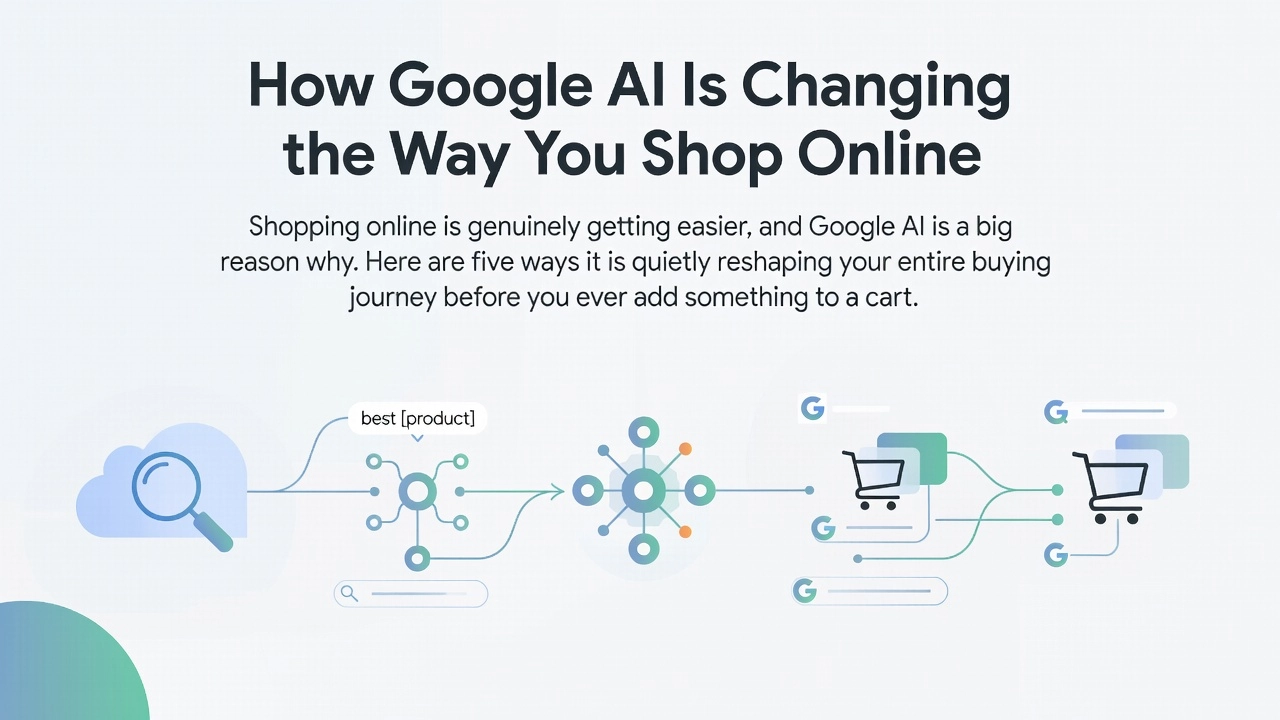
Shopping online is genuinely getting easier, and Google AI is a big reason why. Here are five ways it is quietly reshaping your entire buying journey before you ever add something to a cart.
1. You get the research done for you before visiting a single site. When you search for something like “best wireless earbuds under $100,” Google AI Overviews now pull together review summaries, key specs, and typical price ranges right at the top of your results. According to McKinsey, around 50% of consumers already use AI-powered search to guide buying decisions, and that number is climbing fast. You are essentially getting a mini buying guide served up instantly, without clicking through ten different review pages.
2. Shopping discovery is shifting away from traditional browsing. A growing number of people now begin their product searches directly inside AI tools rather than typing into a standard search bar. This zero-click behaviour means brand discovery increasingly happens inside Google’s interface, not on retailer pages. If you are not seeing certain brands in those AI summaries, there is a good chance you are simply scrolling past them entirely.
3. Gemini can become your personal shopping assistant. Try typing something like “Find me a lightweight laptop for college under $600, explain the best options briefly” directly into Gemini. It will rank suggestions and give you a short reason for each pick, saving you serious research time. Setting a budget inside your prompt keeps recommendations genuinely practical.
4. Use AI as your first filter, then verify pricing. AI tools are brilliant for building a shortlist quickly, but training data can lag behind real-time stock and price changes. The smart workflow is simple: use Google AI to narrow your options, then check the actual price on the retailer’s site before buying.
5. Canvas Mode points toward the future of shopping. As Canvas Mode continues expanding, interactive shopping tools built directly inside Search results could eventually remove the separate browsing step for straightforward purchases altogether. Getting comfortable with these tools now gives you a genuine head start.
What Is Coming Next: Google AI Is Moving Fast
If there is one thing worth knowing about Google AI right now, it is this: the updates are not slowing down. In 2026, Google shifted from big annual reveal events to a near-continuous release schedule. The July 2026 AI roundup from Google confirmed that new features, model improvements, and product integrations are landing on an almost weekly basis. This is not a company making occasional tweaks; it is a company rebuilding its entire product line around AI at speed.
Here are five things that tell you exactly where this is all heading.
1. Weekly updates are the new normal. Google made over 100 separate announcements at a single I/O 2026 event, covering Search, Gemini, Chrome, NotebookLM, and developer tools all at once. That kind of output, sustained across an entire year, signals a structural shift in how Google ships products.
2. AI agents are the next big thing. Google’s own I/O 2026 keynote stated the industry has moved from AI that assists you to agents that independently handle complex, multi-step tasks across your workflow. These are not just chatbots answering questions; they are systems that can take action on your behalf.
3. AI is spreading across every Google product. Chrome received 15 AI updates at I/O 2026 alone. NotebookLM, Google Search, and developer tools are all being rebuilt with AI at the core, not bolted on as an afterthought.
4. Competition is keeping the pressure on. With a growing share of consumers starting searches outside of Google entirely, the company has a very clear reason to keep moving fast and keep adding value.
5. The tools you try today will look different in six months. The most practical thing you can do right now is start experimenting with Gemini, NotebookLM, and Canvas Mode. The learning curve only gets steeper the longer you wait, and the shift toward AI-first Google products is only going to deepen from here.
The Bottom Line: What to Do With All of This
Here is your action plan, and it is simpler than you might think.
1. Start with Gemini today. Head to gemini.google.com and try it for free. Ask it something you would normally type into Google, but write it the way you would ask a friend. Even one session will show you how different conversational Google AI feels compared to punching in keywords and scrolling through links.
2. Use NotebookLM the next time you have a long document. Upload a report, article, or contract and ask your questions in plain English. It reads the whole thing so you do not have to hunt for the answer yourself.
3. Treat AI Overviews as a starting point, not a finish line. They are genuinely useful for quick answers, but always click through to the actual retailer page to verify prices, stock, and reviews before buying anything.
4. Notice how your search results are changing. Features like Canvas Mode are becoming more prominent with near-weekly updates. Knowing what they are means you can use them confidently instead of feeling confused.
5. Understand that Google AI is already here. It is inside the search bar you open every single day. Most people are still searching the old way. You are not one of them anymore.
Conclusion
Google AI is transforming search in ways that affect everyone, from casual browsers to dedicated researchers. The key takeaways are simple: AI-powered results are faster and more conversational, smarter features help you find better answers with less effort, and understanding these changes puts you ahead of the curve.
You do not need a tech background to benefit from what Google AI offers. You just need to stay informed and curious.
Now it is your turn to take action. Open Google and try a few searches using natural, conversational language. Notice what appears at the top of your results. Explore the new features mentioned in this post and see how they work for you.
The future of searching is already here. The more you understand it, the more confidently and effectively you can use it every single day.